
This means that notifications (receiving calls and messages) are not enabled in the browser. When first installed or opened, 3CX will prompt the user to allow notifications. If you click no/deny, it will not be able to receive calls and messages.
First, look to see if you have this icon on your screen:
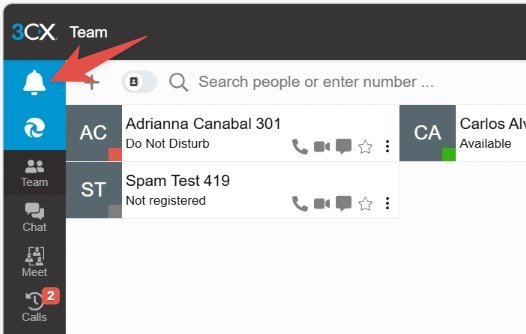
If so, click on it, then allow notifications. This will resolve the issue. Verify it by having someone call you.
If it is not there, then follow these steps if you are using Edge Browser:
Click this menu and then "Settings."
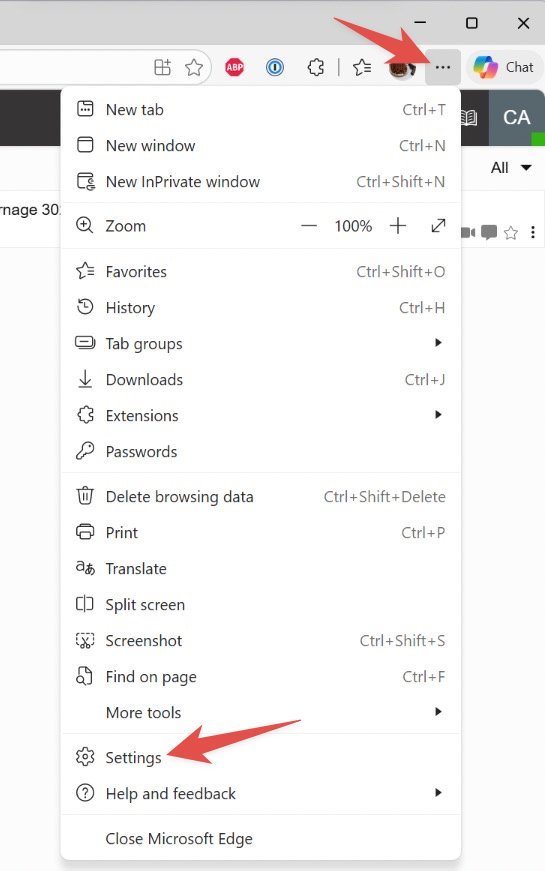
Type "notifications" in the search bar, then select "Add site" under the section "Allowed to send notifications." The site URL is typically this format: companyname.az.3cx.us
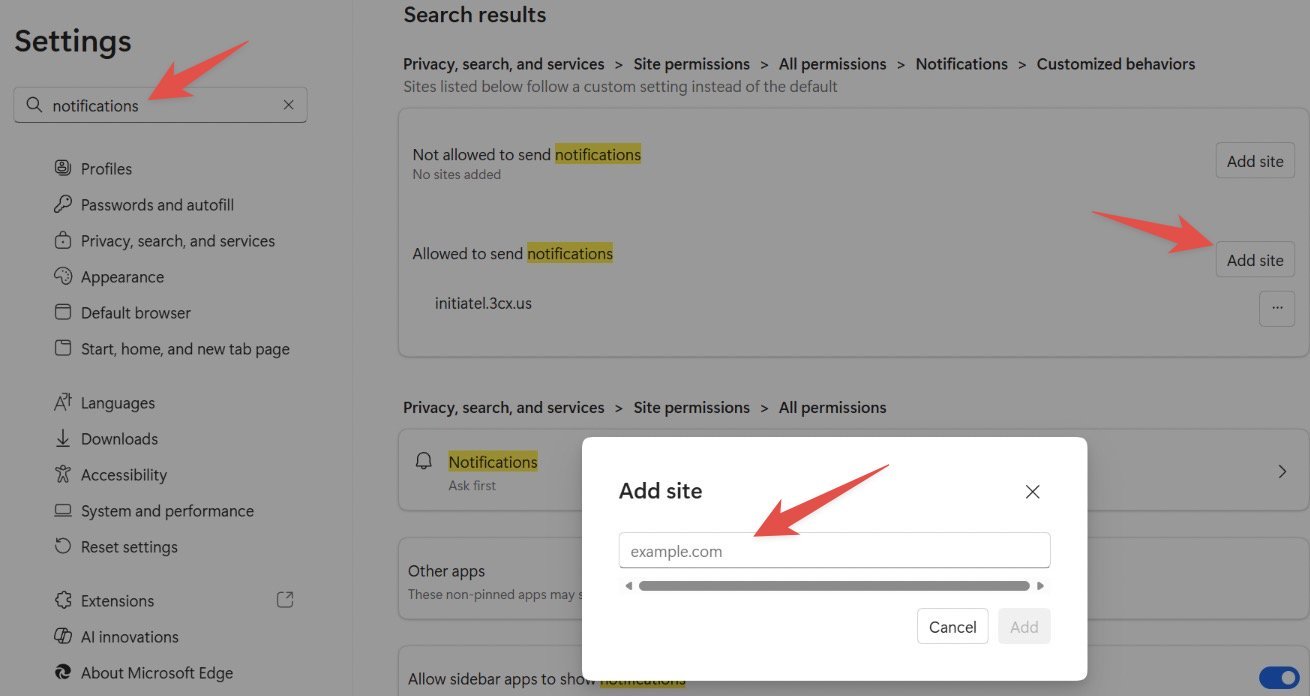
Please contact us if you want help on this. You can also see the address in the URL bar in a browser.
If this site URL is also listed under "Not allowed" remove it from there.