
Symptom: Your 3CX web client or PWA app doesn't ring, but you can make outbound calls and otherwise use it normally. This means you need to enable notifications in the browser (Chrome, Edge, etc).
If you see this in the top right corner of the web client, it means you haven't allowed notifications:
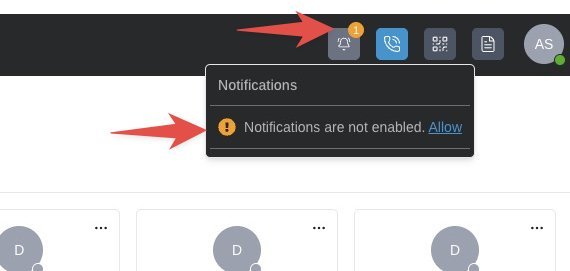
Click on that notification button, and click on "Allow." The browser will prompt you to allow or block this, click allow.
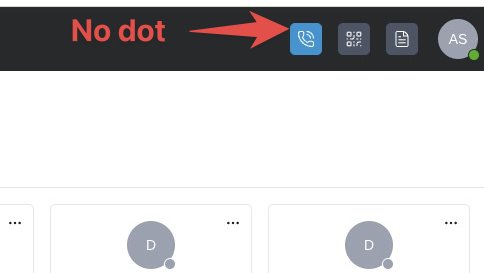
You should now see this, and notifications will work:
If you are unable to allow notifications, your company IT policies may be blocking it. Please ask your IT administrator to either allow all notifications, or contact us for the specific URL to add to the allow list.